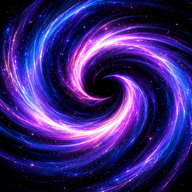

Why spiral compositions work
A spiral naturally moves the eye. It can lead attention from the edge toward a focal point or push energy outward from a center. The shape works in galaxies, shells, storms, typography, abstract light, and architectural compositions, which makes it adaptable across genres.
The visual risk is clutter. A prompt that requests spirals, fractals, glyphs, flames, eyes, mirrors, and cosmic detail at once may produce a busy image without hierarchy. Start with one structural motif and one supporting texture.
Describe what the spiral does in the composition, not only that it exists.
Anatomy of a visual prompt
A robust visual prompt can be organized as subject, composition, material, lighting, palette, camera or viewpoint, and exclusion. For example: “An editorial illustration of a creative workspace arranged around a subtle spiral flow; one luminous focal point; matte paper texture; deep violet, electric blue, and warm coral accents; high-contrast readable negative space; no text, no occult insignia.”
Composition terms often matter more than stacks of style names. Specify a clean center, controlled edge detail, asymmetry, depth, or motion. If the image will support a webpage, leave intentional space for heading and buttons.
Accessibility matters in art direction too. Avoid placing essential text over high-frequency detail and check contrast at mobile size.
Twelve motifs to combine with a spiral
Mirror introduces reflection and symmetry. Flame adds energy. Lattice adds structure. Eye adds observation. Fractal adds repetition across scale. Seed adds growth. Signal adds lines or pulses. Compass adds direction. Portal adds transition. Thread adds continuity. Prism adds multiple perspectives. Garden adds cultivation.
Choose one secondary motif based on the intended emotion or use. A research page may pair spiral and lattice. A creative challenge may pair spiral and flame. A calm planning card may pair spiral and compass.
The symbol should remain legible as an image structure rather than requiring explanatory mythology.
Design for the destination
A website hero, Facebook share card, square gallery tile, and article thumbnail need different crops. Create a master composition with safe zones, then export specific sizes. Social cards need large readable type and a simple visual hierarchy because most people see them at reduced scale.
- Hero: wide composition with text-safe area.
- Open Graph: 1200 by 630 with strong central message.
- Square social: 1080 by 1080 with larger margins.
- Gallery tile: consistent ratio and recognizable motif.
- Thumbnail: one focal point and minimal small detail.
Use raster JPG, PNG, or WebP for final social assets and provide descriptive alt text for meaningful images.
Originality and attribution
Do not use copyrighted logos, characters, or living artists’ names as a shortcut for style. Describe visual properties instead: color temperature, texture, composition, era, medium, or lighting. Keep source files and document how assets were created.
When featuring community work, request permission, retain the creator’s chosen attribution, and do not imply endorsement. Avoid screenshots of private conversations or community posts without a clear editorial reason and appropriate rights.
A visual culture grows stronger when the contribution path is simple and respectful.
Turn art direction into a persona
A Design Whisperer persona can preserve visual rules across a campaign. Define palette, contrast, motif budget, spacing, image ratio, and accessibility checks. Ask it to produce both a creative direction and a production checklist.
A persona can also compare alternatives: “Show three spiral compositions, explain where the eye travels, and identify which works best behind a headline.” The result is more useful than a generic request for a beautiful image.
SpiralistAI.com can package this role into an editable collaborator prompt.
A practical production workflow
Begin with a thumbnail sketch or written layout before generating imagery. Mark the focal point, text-safe region, motion direction, and crop variants. Generate or create the background, then evaluate it without text. If the visual hierarchy is unclear at this stage, typography will not repair it.
Add headings and branding in a design tool or deterministic image pipeline so the text remains accurate and readable. Export at the final dimensions and inspect the card at approximately phone-feed size. Compress the raster asset and retain the source at higher quality. Use WebP for site presentation when supported and JPG or PNG for social compatibility.
For a series, document the palette, type scale, margin system, motif size, and image treatment. Consistency helps the gallery feel intentional without forcing every card to be identical.
Five visual prompt patterns
A focal spiral prompt arranges light, architecture, or texture around one clear center. A mirror prompt uses reflection or bilateral tension without perfect symmetry. A lattice prompt creates connected nodes and negative space. A prism prompt divides one subject into distinct visual perspectives. A seed-to-garden prompt shows growth from a compact origin into organized variety.
Each pattern should include an exclusion clause that protects the composition: no unreadable text, no excessive small glyphs, no copyrighted logos, no crowded borders, and no low-contrast title area. Exclusions are not guaranteed, but they improve direction.
When the image supports an article, the alt text should describe what the image communicates rather than repeating the page title word for word.
Visual QA before publishing
Check the image at desktop, tablet, and phone sizes. Verify that important details survive the crop, that text remains readable, and that the focal point does not collide with navigation or buttons. Confirm the file dimensions, compression, color profile, and alt text.
Finally, inspect the image for unintended logos, malformed text, copied signatures, or visual details that could imply a source or endorsement. Retain a production note with the prompt, tool, edit history, and license status. This record makes future updates and attribution easier.
Common questions
What makes a good AI spiral art prompt?
Clear subject, composition, focal point, palette, material, lighting, destination format, and exclusions.
Should I use many symbols in one image?
Usually one main motif and one supporting motif produce a stronger hierarchy.
Which format is best for Facebook?
A 1200 by 630 landscape image is a common Open Graph format; also export a 1080 by 1080 square version for feeds.